
Desktop Survival Guide
by Graham Williams

|
|
DATA MINING
Desktop Survival Guide by Graham Williams |
|
|||
Windows, Icons, Mouse, Pointer--WIMP |


|
Graphical interfaces might be good for a while, but soon become
restrictive. Nonetheless, people like to get into new tools
graphically, so we will introduce a common option within R, using
Rcmdr, whilst noting that rattle
(See Chapter ![[*]](crossref.png) ) is an alternative, specifically targeted for
data mining.
) is an alternative, specifically targeted for
data mining.
Rcmdr
is the most feature full R GUI. To start it up,
simply load the package:
> library(Rcmdr) |
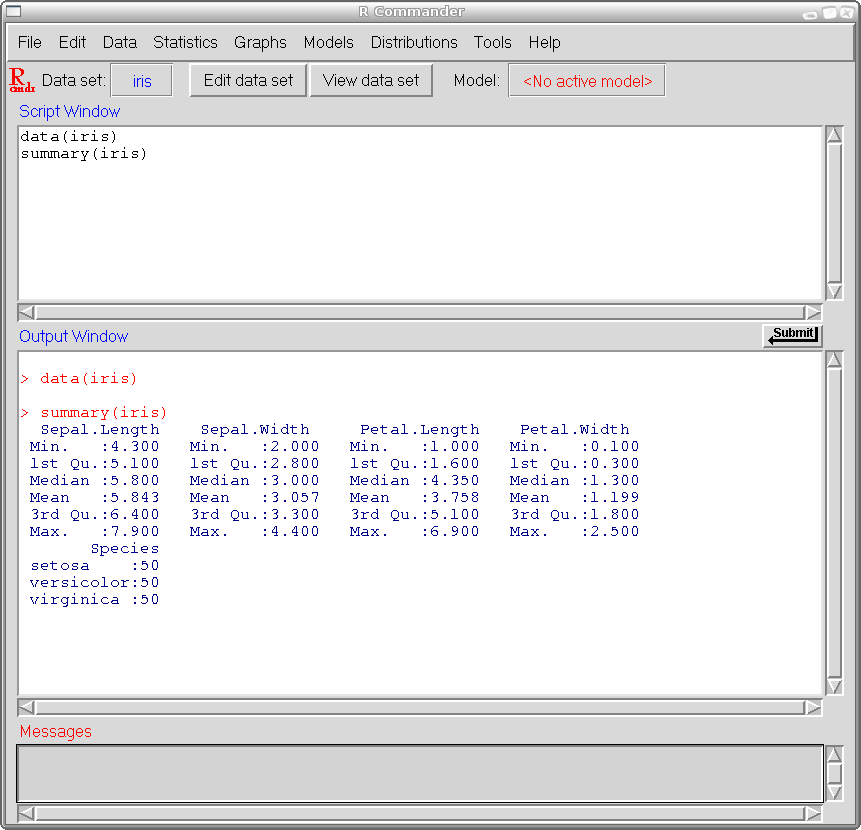 |
The top window in the GUI records the commands or functions that are to be sent to R. You can edit the commands here or else use the menus to generate the commands for you. The lower window shows the commands as they are evaluated and their output.
The GUI provides an excellent pathway into learning how to use R. Using various menus and resulting pop-up windows to build R functions can be very instructive. For some, the Rcmdr may be all that is needed for using R, allowing commands to be entered directly and then saved to script files, either as a record of processing and modelling, or else for later automatic regeneration of results.