Desktop Survival Guide
by Graham Williams

|
|
DATA MINING
Desktop Survival Guide by Graham Williams |
|
|||
Stratified Benford Plots |


|
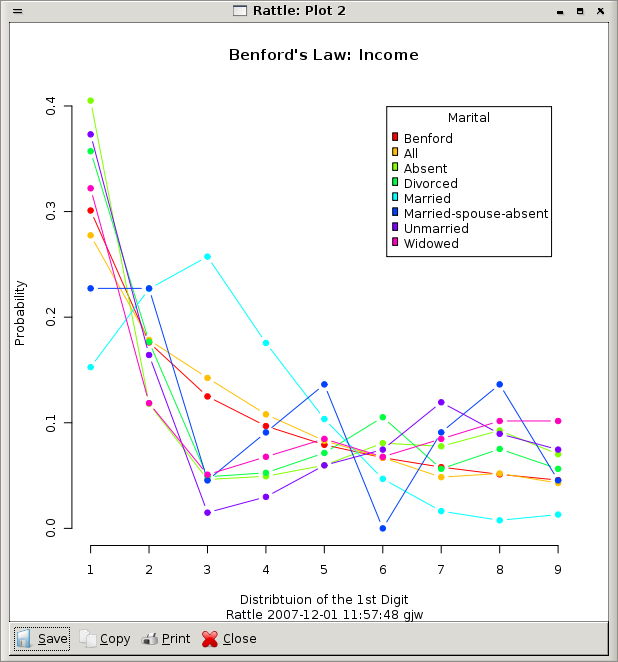
The plot here illustrates the idea using the audit dataset. Here, we have chosen Marital to have the role as a Target variable (doing this in the Data tab). Then we have asked for a Benford plot of the Income variable, and we can see that the plot is stratified over the possible values for the Marital variable.
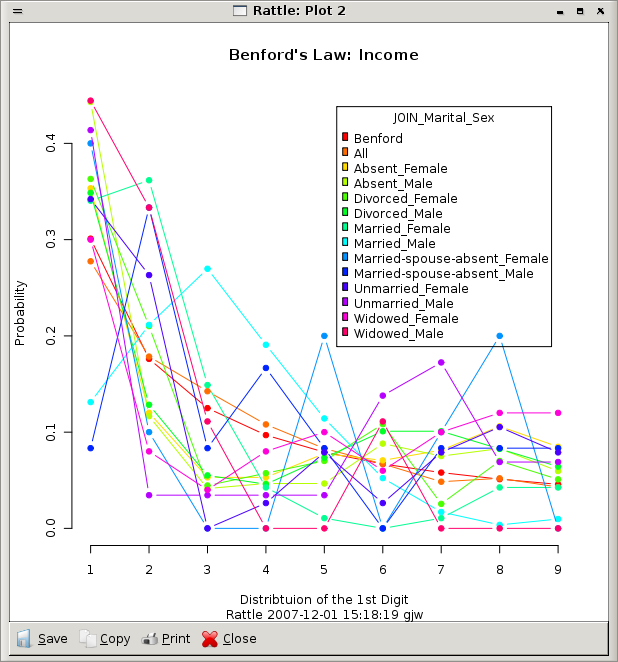
To stratify on more than two categoric variables requires a little extra work. Rattle does not allow selecting more than a single target! However, under the Transform tab, under the Remap option (See Section 23.3.3), you can "join" two categoric variables into one and then set this combined categoric as your target variable.
This could be useful when, using the accounts payable example again, we have a person signing off the invoices and another person issuing the invoices, and we wish to explore whether there are any patterns through the combination of these two. That is, the person signing off invoices might only be manipulating those invoices issued by a specific individual. Thus, re-mapping these two categoric variables into a single combined categoric variable will allow us to explore this relationship.